

Architectural rendering revisions go more smoothly when feedback is clear, specific and well organized. A first draft opens a conversation. How you respond to that draft shapes everything that follows. Vague notes slow the process. Conflicting instructions create confusion. Good feedback, on the other hand, gives the studio exactly what it needs to move forward with confidence.
This guide walks through the practical steps of reviewing a rendered draft and communicating your thoughts in a way that saves time for everyone.
Assign One Review Owner Before the Draft Arrives
Every project should have a single person responsible for collecting and submitting feedback. This is worth deciding before the first image lands in your inbox.
On larger projects, several people may have opinions: the lead architect, a developer partner, an interior designer, a marketing director. Each of those voices matters. But submitting four separate email threads forces the studio to reconcile contradictions it had no part in creating.
A designated review owner collects all internal notes, resolves conflicts before submission and sends one consolidated document. That single step removes a significant source of delay from architectural rendering revisions.
If your team genuinely cannot agree on a direction, that is useful information. Flag it explicitly. A note that says "we are deciding between option A and option B on the window treatment" is far more helpful than two contradictory instructions arriving separately.
Consolidate Comments Into One Annotated Document
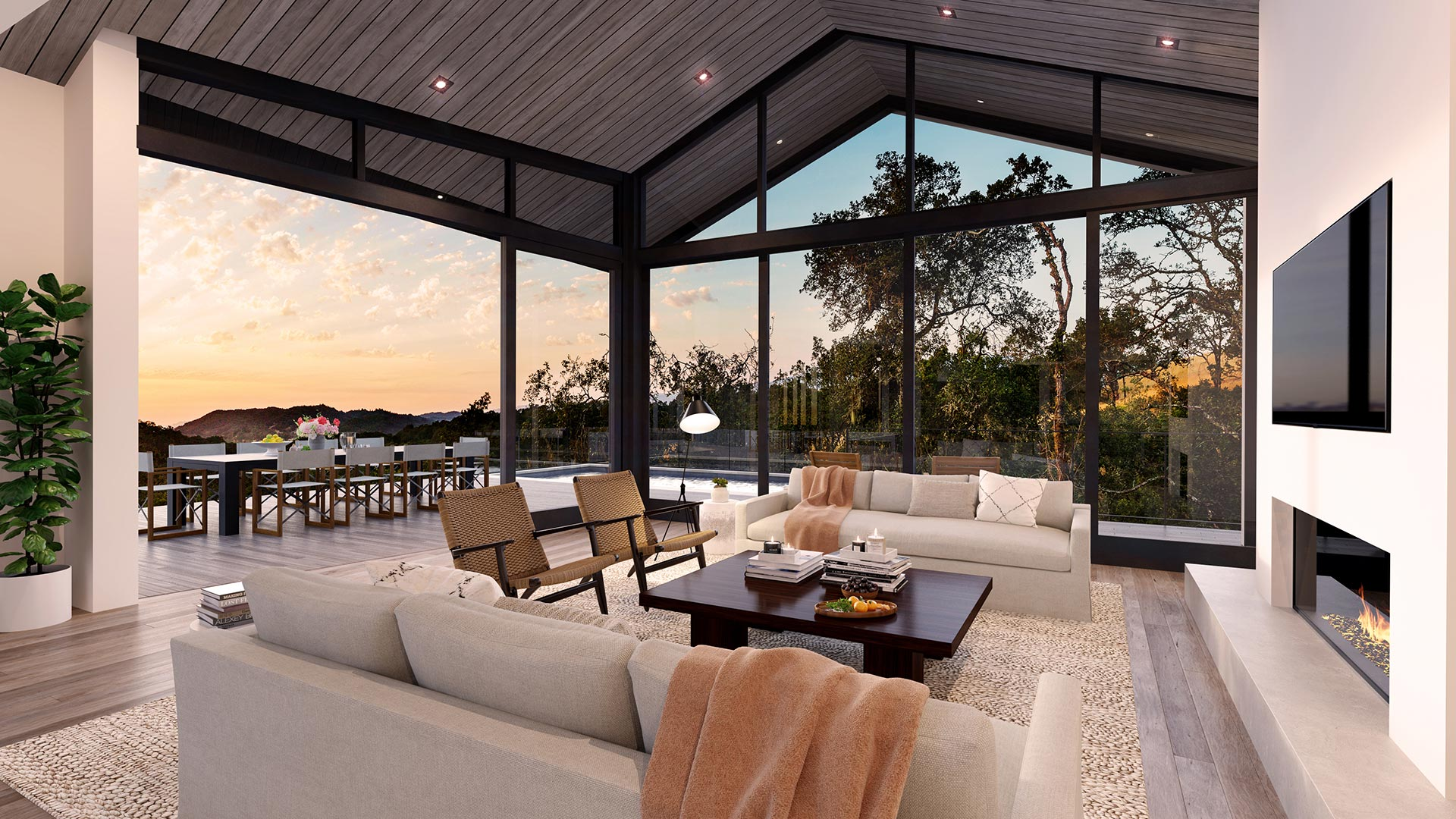
A marked-up PDF is the clearest way to deliver feedback on a still rendering. Annotation tools let you pin a comment to an exact location on the image, so there is no ambiguity about which element you mean.
Adobe’s guide to gathering PDF feedback shows how comments and markup help reviewers identify areas of a document. The same principle applies here. When a comment is anchored to a spot on the image, the studio does not have to guess whether "the window on the left" means the foreground window or the one behind it.
Tools for annotating PDFs are widely available. The specific software is less important than the habit of pinning each note to a precise location. Vague written descriptions of spatial problems are one of the most common causes of misread revisions.
Send one file, not a chain of replies. If a teammate adds a note after you have already sent feedback, hold it for the next round or call a quick internal meeting before submitting anything.
Separate Three Types of Feedback
Not all comments are equal. Mixing them together makes it harder for the studio to prioritize and respond. Before you write anything, sort your notes into three categories.
Factual corrections address something that does not match the approved drawings or agreed scope. A window in the wrong position, a roofline at the wrong pitch, a material that was never specified. These are objective and must be fixed.
Preferences reflect your aesthetic judgment about something that was not explicitly defined. You may prefer warmer afternoon light, a denser tree canopy or a slightly different camera angle. These are valid and worth sharing, but they are not errors. Label them as preferences so the studio understands they involve a judgment call, not a mistake.
New scope is anything you are asking for that was not part of the original brief. An additional view, a new material option, a change to the landscape layout. New scope may affect timing and cost. See the What Does an Architectural Rendering Cost? guide for context on how scope changes work. Flag these separately so they can be discussed before work begins.
This separation is one of the most useful habits you can build around architectural rendering revisions.
Mark Location Precisely
"The tree on the right" is not precise enough. "The large palm at the right edge of the frame, overlapping the ground-floor corner" is much better.
Use annotation pins whenever possible. If you are writing notes in a separate document, describe location using compass directions, clock positions or element names from the drawings. "The north-facing bedroom window" is unambiguous. "The window by the door" is not.
For interior renderings, reference the camera position and the wall being described. "The back wall as seen from the living room camera" removes guesswork.
Precision in location descriptions is especially important for architectural rendering revisions involving geometry. A misread note about a structural element can send work in the wrong direction entirely.
Prioritize Geometry Before Finishes
There is a logical order to reviewing a rendered draft. Geometry comes first.
Geometry means the shape, massing, proportion and placement of built elements: walls, windows, rooflines, stairs, structural openings. These are the hard decisions. Changing them later, after finishes have been refined, wastes effort.
Finishes mean materials, colors, textures, furniture and decorative detail. These are easier to adjust and should be reviewed after you are satisfied with the underlying geometry.
A practical checklist for first-draft review:
- Does the overall massing match the approved design?
- Are all openings (windows, doors, skylights) correctly placed and proportioned?
- Does the roofline match the drawings?
- Are site relationships correct (grade, setbacks, neighboring structures if shown)?
- Is the camera position and field of view what was agreed?
- Once geometry is confirmed: do materials match specifications?
- Does the lighting direction match the agreed time of day?
- Does the landscape reflect the agreed level of detail?
Work through this list in order. Approve geometry before commenting on finishes. This sequencing makes architectural rendering revisions cleaner and faster.
Specify the Desired Outcome, Not Just the Problem
Identifying a problem is half the work. Describing what you want to see instead completes it.
"The facade looks flat" tells the studio something is wrong. "The facade reads flat; we would like stronger shadow definition on the window reveals to give it more depth" tells the studio what to do.
This is especially true for lighting and atmosphere notes, which can be highly subjective. Compare these two versions:
Less useful: "The light feels off."
More useful: "The afternoon light feels too cool. We would prefer a warmer tone consistent with a two-to-three hour window before sunset, which matches how the terrace will actually be used."
The second version gives the studio a clear target. It respects the fact that rendering involves craft decisions and that your direction is more useful than a general complaint.
When you are not sure what outcome you want, say so. "We are not satisfied with the current sky but are open to suggestions" is honest and workable. It invites collaboration rather than guessing.
Batch Your Comments and Avoid Rolling Revisions
Submit all feedback from a given round at once. Rolling revisions, where notes arrive in waves over several days, break the studio's workflow and make it hard to track what has been addressed.
Set an internal deadline for gathering comments. When the deadline arrives, compile everything into a single submission. If a note arrives after you have already sent feedback, hold it for the next round unless it is a significant factual error.
Version naming keeps everyone oriented. A simple system works well. Label each submission with the project name, a round number and a date: for example, "HarborsideResidence_Round2_June14." When the studio returns a revised image, it should carry a corresponding label. This makes it easy to confirm you are reviewing the correct file.
Keeping a brief review log also helps. Even a short document listing what was submitted each round and what was approved removes ambiguity later. See the hypothetical example below.
A Hypothetical Review Log
The following is a made-up example to illustrate how a review log might look in practice. It does not represent an actual Jeff Brink project.
Project: Ridgeline Residence (hypothetical) Image: Exterior Southwest View
Round 1 submission date: June 7
Factual corrections:
- Garage door width does not match drawings. Should be two bays, not three.
- The covered entry overhang is missing.
Preferences:
- Camera angle slightly too low; raise to approximate standing eye level.
- Prefer late afternoon light rather than midday.
New scope (flagged for discussion):
- Client has asked whether a dusk version could be produced as an alternate.
Round 1 approval status: Pending geometry confirmation.
Round 2 submission date: June 14
Notes: Garage and entry corrections confirmed. Camera height approved. Light direction approved. Dusk version agreed as additional deliverable.
Approval status: Image approved for final delivery. Dusk version proceeding under revised scope.
This kind of record is simple to maintain and prevents disputes about what was agreed. It also gives new team members a quick way to get oriented if they join a project mid-stream.
Name Versions and Keep an Approval Record
Version naming and approval records are worth treating as a standard part of your process, not an afterthought.
When you approve an image or a round, say so in writing. A short email confirming "Round 2 of the southwest exterior view is approved" creates a clear record. It protects both you and the studio. It also signals that work on the next deliverable can begin without waiting for clarification.
Without a written approval record, it is easy for a project to drift. A team member who was not part of the original review may reopen a closed question. A written record closes it.
This habit matters more on complex projects with multiple deliverables, such as a set of still renderings combined with a virtual tour. Keeping track of which assets are approved, which are in revision and which are pending feedback avoids a situation where the studio finishes one deliverable while another is still waiting for a response on a basic geometry question.
What Good Feedback Looks Like in Practice
To bring this together: a well-organized submission for architectural rendering revisions arrives as a single annotated PDF, prepared by one review owner, organized by factual corrections, preferences and new scope, pinned to precise locations, sequenced from geometry to finishes, and accompanied by a version label and a brief log entry.
That description sounds formal. In practice, it takes less time than writing a long explanatory email and far less time than resolving a misread revision after the fact.
The goal is a working relationship where the studio understands your priorities and can make confident decisions on your behalf. Clear feedback builds that trust over time. It also produces better renderings, because the studio is responding to your actual intentions rather than its best interpretation of ambiguous notes.
For context on preparing the design information behind a draft, What Your Rendering Studio Actually Needs From Your Drawings covers the input side of the process.
Inviting Discussion
If you are at the first-draft stage and are not sure how to structure your feedback, or if your project involves a complex set of deliverables with multiple stakeholders, talking it through with Jeff before submitting notes is a reasonable step. A short conversation about your review process at the start can prevent significant back-and-forth later.
Architectural Rendering Revisions Work Best as a Dialogue
Architectural rendering revisions are not a transaction. They are a conversation between your design intent and the studio's craft. The clearer your side of that conversation, the more useful the response.
One review owner. One consolidated document. Geometry before finishes. Location pinned precisely. Outcome described, not just the problem. Feedback batched, versions named, approvals recorded.
These habits are not complicated. They are simply the discipline of communicating well about a visual medium. Applied consistently, they make the revision process shorter, the results more accurate and the working relationship stronger.